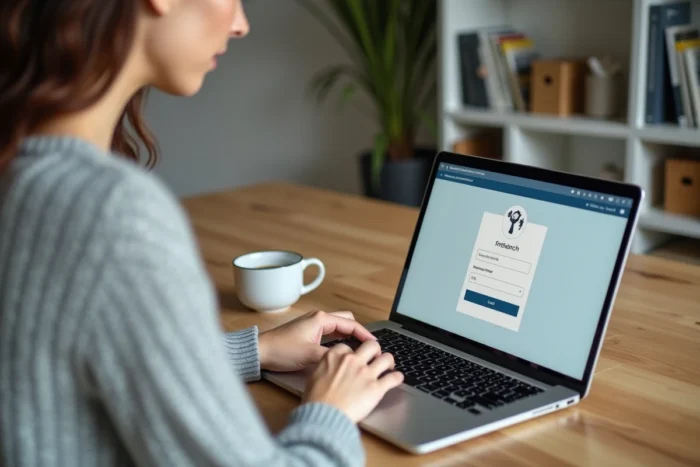
If you want to play a Loto or scratch an Illiko online, you open the FDJ site, and there: password forgotten, unrecognized email, a page that spins in vain. Before even talking about winnings or jackpots, the first step remains to access your player account without wasting ten minutes. Here’s how to do it concretely, with the points that often cause issues.
FDJ Identity Verification: The Blockage That No One Anticipates
Most guides explain how to create an account or reset a password. The real friction point comes afterward: identity verification. Without it, the account remains limited in functionalities, particularly for withdrawing winnings.
When registering, FDJ asks for an identity document (national identity card or passport). If the submitted document is blurry, expired, or if the name does not exactly match the entered information, the account remains pending validation. Sometimes, no clear notification is received, just a silent blockage when trying to transfer winnings.
To resolve the situation, you need to access the “My Account” section, then “My Personal Information,” and resend a readable proof. Responses vary on this point: some players get validation within a few hours, while others wait several days. If the problem persists, FDJ customer service can be reached from the FAQ on the site. To better understand the overall connection process, you can also connect to Fireblog where the process is detailed step by step.
Connecting to the FDJ Account on Mobile: Biometrics and Official App
On smartphone, the official FDJ app (available on iPhone and Android) now offers fingerprint login. Once activated in the app settings, this option avoids having to re-enter email and password each time you open it.
To activate it, go to the “My Space” tab, then “Connection Settings.” The biometric option appears if the phone has a fingerprint sensor or facial recognition. It’s quick and solves the recurring problem of forgotten passwords.
When the App Refuses Biometric Login
If biometrics do not work after an update, you often need to:
- Disable and then re-enable the option in the FDJ app settings
- Check that the phone’s biometric system itself is operational (registered fingerprint, Face ID active)
- Clear the app cache, or even reinstall it if the problem persists
In any case, the login identifier remains the email address and date of birth. Biometrics do not replace this information; they simply mask it for smoother access.
Game Limits and Self-Exclusion from the FDJ Online Space
Account management is not limited to logging in. FDJ has integrated control tools directly into the player space, in accordance with the recommendations of the National Gaming Authority (ANJ).
From the “Responsible Gaming” tab of the account, you can set several parameters:
- A weekly or monthly betting limit, which can be modified at any time (decreases take effect immediately, increases take effect after a delay)
- A gaming time alert, which sends a notification after a defined duration
- A temporary self-exclusion, from one day to twelve months, which blocks access to all FDJ online games
- A request for voluntary gaming prohibition with the ANJ, which can be done directly from the interface
These settings are accessible both on computer and mobile app. They apply to all draw games (Loto, EuroMillions) and online instant games Illiko.
Setting Up Automatic Transfer of Winnings
A setting often overlooked: the automatic transfer threshold of winnings to a bank account. By default, winnings remain in the FDJ balance. But in “My Account” then “My Payments,” you can set an amount from which winnings are automatically transferred to the registered bank account.
This is useful to avoid leaving a jackpot sitting in the player account. The bank account must be in the name of the FDJ account holder; otherwise, the transfer is rejected.

Recovering Access to a Blocked or Old FDJ Account
After several months of inactivity, an FDJ account may require re-verification. The verification code sent by email or SMS is the first step. If the email associated with the account is no longer accessible (old address, full inbox), the procedure becomes complicated.
FDJ does not allow changing the email address directly from the account. You must contact customer service with an identity document and proof of residence to request the update. Without access to the registration email, no password reset is possible independently.
Account Blocked After Too Many Attempts
After several incorrect password entries, the account is temporarily locked. The unlocking period varies, but you can speed up the process by immediately using the “Forgot Password” function rather than multiplying attempts. The reset link arrives at the account email and remains valid for a limited time.
One last point to keep in mind: FDJ requires that the player be of legal age and a tax resident in France. If the account was created with inconsistent information, identity verification will systematically fail, and the only recourse is through customer support with the correct documents in hand.